
How to Send a Link on WhatsApp: Stop Pasting, Start Converting
How to Send a Link on WhatsApp the Right Way
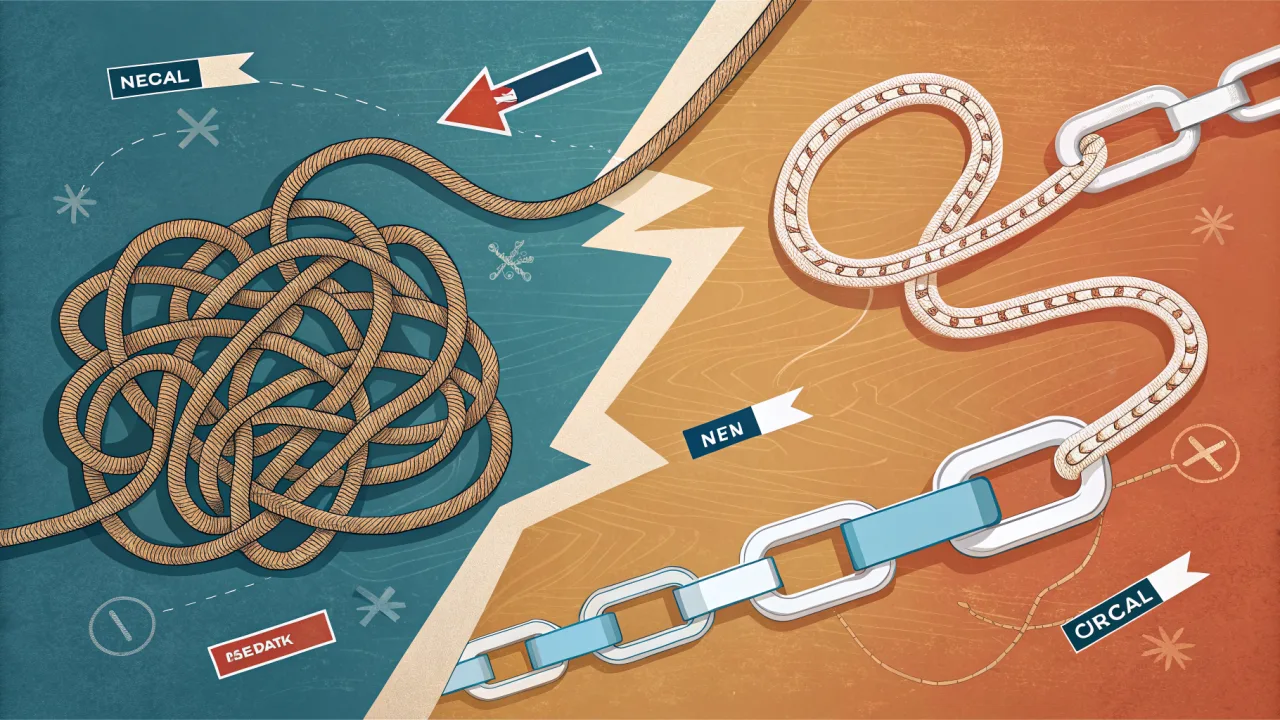
Most online guides tell you to copy a URL, open a chat, and paste. That works for a personal note to a friend. For a business, how to send a link on WhatsApp is a strategic decision that determines whether that link gets opened, clicked, or flagged as spam. The three core methods, raw URL paste, Click-to-Chat (wa.me) link, and pre‑filled message link, each serve a distinct purpose. Raw paste is fine for one‑off shares among trusted contacts. Click‑to‑Chat links are designed for ads and social media: they open a chat with your number and optionally pre‑write a message. Pre‑filled message links go further, they send a specific text or keyword that triggers an automated response or chatbot flow. Choosing the wrong method costs you opens, trust, and revenue. The right one turns every link into a trackable conversation starter.
What Sending a Link on WhatsApp Means Today
A link on WhatsApp is no longer just a blue‑underlined piece of text. It can be a call‑to‑action button inside a broadcast, a deep link that opens a chat with a pre‑written sentence, a product link in a status update, or a QR code that triggers a Click‑to‑Chat flow. For businesses, link sharing carries strategic weight: it drives traffic to landing pages, opens conversations with leads, and powers attribution tracking.
The shift from personal to commercial use is real. WhatsApp is now a primary channel for customer engagement, not just a family chat app. Adoption accelerated rapidly after 2010, and today WhatsApp is one of the most widely used messaging platforms globally. Today, businesses send links to confirm orders, deliver support documentation, promote flash sales, and invite reviews. The medium has matured, but many companies still treat it like a casual share instead of a designed touchpoint.
For a deeper look at how method choice affects click rates, see the right method for each use case.
How Link Sharing on WhatsApp Evolved
Early WhatsApp (circa 2010-2015) was strictly personal. You pasted a URL into a chat, the app generated a preview, and the recipient tapped it. No tracking, no opt‑in, no business logic. The phrase "Send me a WhatsApp when you arrive home" captured the casual, safe nature of the medium, a message meant for a family member or friend, not a lead.
Around 2016, WhatsApp introduced wa.me links, officially named Click‑to‑Chat. This was the first structured link for businesses: https://wa.me/1234567890 would open a chat with that number. Adding ?text= let you pre‑fill a message, making it possible to embed a call‑to‑action in an ad or email that opened a WhatsApp conversation automatically. For the official format and technical requirements, see WhatsApp's Click-to-Chat guide.
Workarounds appeared in parallel. Third‑party tools let users create hyperlinked text inside WhatsApp messages using Unicode tricks or custom keyboards, a fragile approach that broke when WhatsApp updated its client. Meanwhile, the WhatsApp Business API (launched in 2018) gave enterprises real infrastructure: pre‑approved message templates, opt‑in management, and the ability to send links in broadcast messages with analytics.
Today, the method you use depends on intent. A personal share still works fine with a raw paste. A business conversion demands a structured link, pre‑filled, trackable, and tied to a conversation flow. The evolution from "paste and pray" to "design and measure" is the core lesson of modern WhatsApp marketing.
The Canonical Process for Sending Links on WhatsApp Today
The process varies by scenario. Here is how to execute each one in flowing steps, grouped by context.
For personal sharing: Copy the URL from your browser. Open the chat with the recipient (individual or group). Long‑press in the message input field and select Paste. Optionally, add a sentence explaining what the link is about. Send. That is the lowest‑effort path, and it is fine for one‑time shares among trusted contacts.
For business advertising: Generate a Click‑to‑Chat link using the format https://wa.me/1234567890?text=Hi%2C%20I%20saw%20your%20ad%20about%20XYZ. URL‑encode your message (replace spaces with %20 and commas with %2C). Use this link in Facebook Ads, Instagram bios, Google Ads, or email newsletters. When a user clicks, WhatsApp opens with your business number and the pre‑written message already entered. They tap Send, and the conversation begins. This eliminates friction, no typing, no searching for the number.
For support tickets and chatbot triggers: Create a pre‑filled link that sends a specific keyword or short phrase. Example: https://wa.me/1234567890?text=REFUND_HELP. When the message arrives, your WhatsApp Business API platform (like ours) can route it to a chatbot that looks up the keyword and responds with a knowledge‑base article link or opens a human‑handoff ticket. This is one of the most effective ways to automate support intake without forcing customers to navigate a phone tree.
For all business scenarios: Always shorten long URLs with a custom shortener (e.g., yourbrand.link/offer23) and append UTM parameters (utm_source=whatsapp&utm_medium=social) so you can track clicks in your analytics platform. Understanding how to structure UTM parameters is essential; learn the best practices for UTM parameter tracking to ensure consistent attribution across campaigns. A naked long URL looks suspicious and often gets truncated in the WhatsApp preview.
For a fuller walkthrough that focuses on conversions rather than mechanics, read the approach that drives measurable clicks.
Common Mistakes When Sending Links on WhatsApp
Most failures come from treating a business link like a personal one. Here are the specific mistakes we see repeatedly, each with its correction.
Pasting a raw, long URL without shortening. A URL like https://yourstore.com/products/summer-sale-2026?ref=email&campaign=blast looks suspicious in a chat window. Many users will not tap it. Fix: use a branded short link (e.g., yourbrand.link/sale) or at least a clean bit.ly.
Dropping a link without context. A link floating alone in a chat feels like spam, even if the sender is trusted. Fix: always pair the link with a one‑sentence value statement. "Here is the guide you asked for: link" is better than just the link.
Using a personal mobile number for business Click‑to‑Chat links. When you embed a wa.me link using your personal phone number, every inbound message lands on your device alone. No team assignment, no routing, no tracking. Fix: use a WhatsApp Business API number so messages go to a shared inbox with session timers and agent assignment.
Sharing links in groups without permission. Dropping a promotional link into an existing WhatsApp group can trigger spam flags, get you removed, or damage your brand reputation. Fix: only share in groups where you have explicit opt‑in or where the group culture explicitly welcomes promotional content.
Not tracking click‑through rates. When you manually paste a link into a chat, you get zero analytics. You cannot know how many people tapped, when, or from which device. Fix: use a link management tool (or a platform like ours) that shortens and tracks every link sent via WhatsApp.
Forgetting to preview the link before sending. WhatsApp fetches a preview (title, image, description) when you paste a URL. If the preview fails, because the site's Open Graph tags are missing or the server is slow, the link looks broken. Fix: send the link to yourself first and check the preview. If it is missing, adjust the OG tags on your page.
For detailed coverage of these pitfalls, check out the most frequent errors people make.
When to Use Simple Copy-Paste vs. Advanced Click-to-Chat Links
No single method fits every scenario. The choice depends on your volume, audience, and the job the link needs to do.
Copy‑paste is fine when:
- You are sending a link to one or two trusted individuals (a friend, a colleague).
- The link points to something non‑commercial (a shared document, a funny video).
- You do not need to track whether the recipient clicked.
- You have a pre‑existing relationship where context is assumed.
Click‑to‑Chat links are essential when:
- You run paid ads on Facebook, Instagram, or Google. The user clicks a button and opens WhatsApp instantly, no friction.
- You send broadcasts to opt‑in lists. A
wa.melink with a pre‑filled message converts better than a bare URL because it lowers the mental effort to respond. - You want to capture the conversation in a shared inbox. Click‑to‑Chat links route to your business number, where your team (or chatbot) can reply from a unified interface.
Pre‑filled message links work best when:
- You are automating support flows. A customer clicks a link that says
?text=TRACK_ORDERand the chatbot retrieves their order status. - You run keyword‑based opt‑in campaigns. "Text the word OFFER to this link to receive a coupon.".
- You need to trigger a specific sequence in your chatbot, the keyword in the pre‑filled message determines which flow runs.
For volume, decision trees, and analytics, a platform like ours adds real value. We generate Click‑to‑Chat links, rotate them for A/B testing, track opens and clicks, and route inbound conversations to the right agent or bot. But we concede: if you only share links with your family once a week, copy‑paste is all you need. The graduation point is the moment you care about whether the link was tapped and what happened afterward.
How WhatsBox Fits into the Modern WhatsApp Link-Sharing Landscape
We built WhatsBox to turn every link sent into a trackable, manageable conversation. When your business sends links at scale, thousands of broadcast messages, ads driving to WhatsApp, or automated support flows, the mechanics of link creation, sending, tracking, and conversation management need to work together.
Our platform provides:
- Shared team inbox with session timers. Every Click‑to‑Chat link routes inbound messages to a central inbox where agents can pick up conversations. Session timers ensure customers wait less than 2 minutes for a first reply across multiple agents.
- Bulk broadcast campaigns via the WhatsApp Business API. You compose a message containing a trackable link, select an opt‑in audience, and send. We handle the sending and collect click data per recipient.
- Custom‑trained AI chatbots. Pre‑filled message links can trigger a chatbot that answers common questions using your knowledge base. Human‑in‑the‑loop escalation passes complex queries to your team.
- Workflow automations via embedded Zapier integration. A link click can trigger a Google Sheets row update, a CRM lead creation, or a Slack notification, all without custom code.
- No seat fees, no user limits, no contracts. Our Pay‑Per‑Use plan is free during beta; afterward it's $0.0025 per message. You pay only for messages sent, every link included.
WhatsApp's own capabilities are powerful, but they stop short of unified management. A platform like ours bridges that gap: we handle the plumbing so your links become a reliable growth engine rather than a manual chore.
Final Verdict: The Link Sending Method You Should Actually Use
If you are reading this as a business owner or marketer, here is the answer: stop copy‑pasting raw URLs into WhatsApp unless the recipient is someone who already trusts you implicitly. For everything else, ads, broadcasts, support automation, lead generation, use a structured link. A Click‑to‑Chat link with pre‑filled text and UTM parameters is the minimum viable method. A pre‑filled keyword link triggers automated flows and tracks results. For scale, layer on a platform that centralizes creation, sending, tracking, and conversation management.
The single most important shift is moving from "how to send a link on WhatsApp" to "what do I want the link to accomplish." The method follows the intent. Choose the one that matches your goal, and measure the outcome. Your customers will thank you for the relevant, frictionless experience, and your bottom line will reflect it.
The Flight Delay Message: Why Most Airlines Get It Wrong and How to Fix It
The flight delay message is more than a courtesy, it’s a business-critical communication. This article explores the components, types, and systems that turn a routine delay into a trust-building moment, with a focus on WhatsApp automation.
How to Send a Link in WhatsApp: The Method That Actually Gets Clicks and Conversions
Sending a link in WhatsApp seems trivial, but the method you choose determines whether your message gets ignored or drives a conversion. Here is the strategic approach most guides miss.