
How to Share a Link in WhatsApp: The Strategy That Actually Gets Clicks
To share a link in WhatsApp well is to do more than paste a URL into a chat. It means choosing the right format for the goal, direct paste for speed, wa.me for conversation initiation, pre-filled messages for guided action, or tracked broadcast links for campaigns, and wrapping that link in context that earns the click. Most businesses stop at the paste step. The ones that get measurable results treat link sharing as a deliberate channel strategy, not a mechanical act.
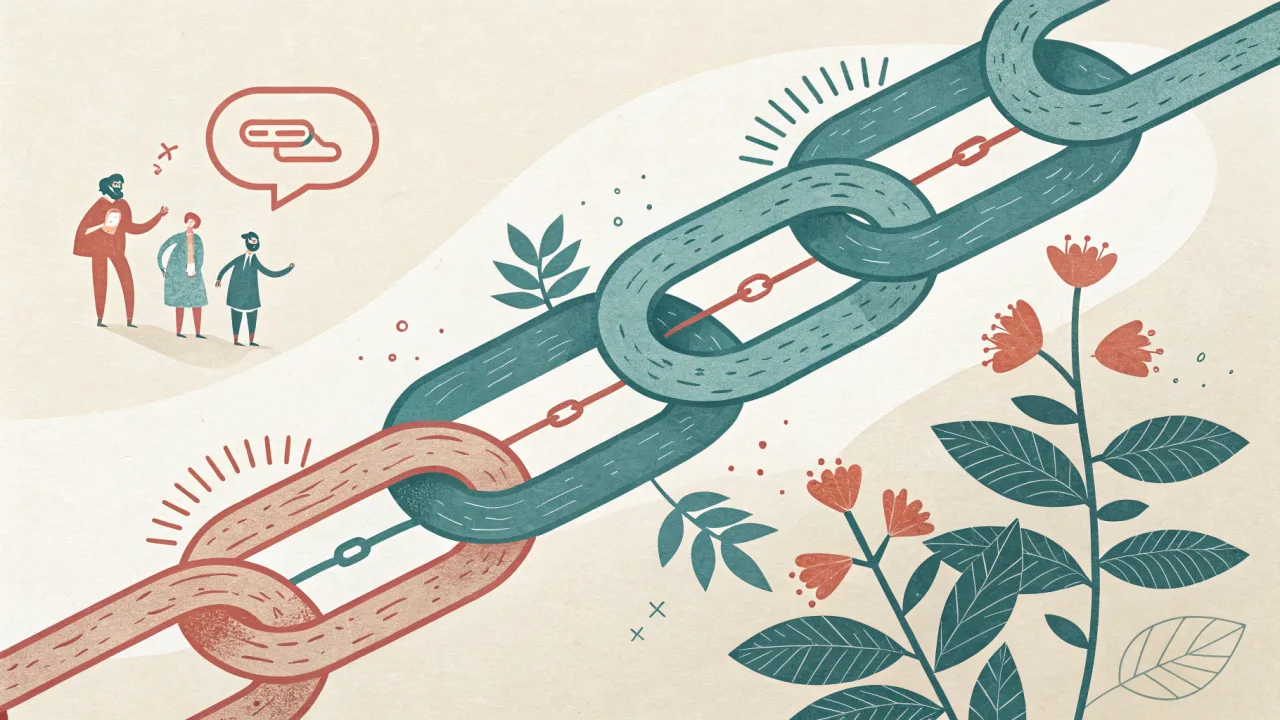
What Does It Mean to Share a Link in WhatsApp?
Sharing a link in WhatsApp means sending a URL through a one-on-one chat, a group conversation, or a broadcast message. The link can take the recipient to a website, a product page, a booking form, or, in the case of a click-to-chat link, directly into a new WhatsApp conversation with a pre-filled message.
For a personal user, this is a two-second action: copy, paste, send. For a business, the same act carries very different weight. A link dropped without context, without a tracked parameter, and without the right format is a missed opportunity to measure interest, attribute a sale, or start a conversation. The gap between a casual paste and a strategic share is the difference between hoping someone clicks and knowing exactly why they did.
Share a Link in WhatsApp: More Than a Simple Paste
The phrase "share a link on WhatsApp" obscures a wider range of options than most people realise.
- Bare URL paste. The default. No tracking, no pre-fill, no context beyond what the sender types alongside it.
- Click-to-chat link (wa.me). A URL format that opens a WhatsApp chat with a specific number and an optional pre-filled message. Commonly used on websites and in ads.
- Pre-filled message link. A wa.me variant with the
textparameter populated so the recipient sees a prepared prompt. Common in support flows and checkout confirmations. - Broadcast campaign link. A link sent to many recipients via the WhatsApp Business API, often wrapped with UTM parameters for tracking.
Each format solves a different job. A click-to-chat link captures a lead by reducing friction. A pre-filled message guides the recipient to take a specific action, "confirm your appointment" or "track your order." A bare paste is fine for a quick internal share, but it tells the business nothing about what happens after the send.
What Makes a Link Share "Strategic"?
Strategic link sharing pairs the format with a measurable goal. You do not send a click-to-chat link when the recipient already knows what they want, you send it when the goal is conversation initiation. You do not use a pre-filled message when the recipient only needs a reference, you use it when you want them to act on a specific prompt.
The second layer is context. A link without a sentence explaining why the recipient should click it will perform measurably worse. The surrounding message is the headline; the link is the button.
Who Benefits from Strategic Link Sharing?
Support teams benefit because a pre-filled link can route a customer to the right flow without back-and-forth. Sales teams benefit because a tracked wa.me link lets them see which channels drive inbound conversations. Marketing teams benefit because broadcast links with UTM parameters make campaign attribution possible in a channel that historically offered none. When teams implement strategic link sharing at scale, a trained AI chatbot can surface the right link automatically based on the customer's query.
Every team that shares a link in WhatsApp today is leaving performance on the table if they cannot answer the question: what happened after the recipient clicked?
How Link Sharing on WhatsApp Actually Works
Understanding the technical flow removes the guesswork from choosing a format.
The wa.me Link Format
The standard click-to-chat URL follows this structure:
https://wa.me/1234567890?text=Hello
The number must include the country code without a plus sign. The text parameter accepts URL-encoded text. When a user taps this link on a mobile device, WhatsApp intercepts it and opens the chat screen with the number and message pre-populated. The user still has to tap Send, the link does not dispatch the message automatically.
Tools like Walink (create.wa.link) let you generate these links through a UI by entering a phone number and custom text, then copying the output. They are useful for quick link creation but offer no tracking, no team management, and no scale beyond manual generation.
URL Previews and Open Graph Tags
When a link is pasted into a WhatsApp chat, the app fetches metadata from the destination page: the Open Graph title, description, and image. This preview appears below the message before the recipient decides whether to click.
The preview is a trust signal. A broken thumbnail, a missing description, or a title that does not match the message context reduces the click rate. Pages intended to be shared on WhatsApp should have proper OG tags set on the server side. That is a technical prerequisite for any link your team sends at scale. For more on how OG tags work, see the Open Graph Protocol specification.
Pre-Filled Messages via URL Parameters
The text parameter in a wa.me link is the primary mechanism for pre-filling. You can encode anything, order confirmations, appointment times, survey prompts. The practical constraint is character length: extremely long pre-filled text can be cut off on some devices.
Pre-fill is not a substitute for a conversation. It is a starting point that signals intent and saves the recipient the effort of typing. The best pre-filled messages are short, specific, and end with a question or a call to action.
A Proven Process for Sharing Links on WhatsApp That Get Clicks
The following steps build on each other. Skipping one reduces the probability that the recipient will click.
- Clarify your goal. Is this a support interaction, a sales handoff, or a content distribution? The goal determines the format. A support interaction needs a pre-filled link with context. A sales handoff needs a click-to-chat link. Content distribution needs a tracked broadcast link.
- Choose the link format. Direct paste for internal references where tracking is irrelevant. wa.me for lead capture from a website or social bio. Pre-filled wa.me for guided conversations in support or sales. Broadcast link for campaigns sent via the WhatsApp Business API.
- Write the surrounding context. A single sentence that tells the recipient why the link matters. "Here is the tracking update you asked for" works better than "Link below." The message sets the recipient's expectation before they tap.
- Preview the link in WhatsApp. Send it to yourself first. Check that the thumbnail loads, the description is relevant, and the title matches the context. If the preview breaks, the page may be missing OG tags or blocking the WhatsApp crawler.
- Deploy via the appropriate channel. One-on-one for personalised messages. Group for shared updates. Broadcast for campaigns. The channel affects how the recipient perceives the link. A broadcast link has zero personalisation; the accompanying message must compensate. For multi-agent teams, a shared inbox with session timers ensures every link gets attributed to the right team member.
- Monitor performance with UTM parameters or a tracking tool. Append
?utm_source=whatsapp&utm_medium=social&utm_campaign=campaign_nameto the URL. Without this, you will never know how many clicks came from WhatsApp versus any other source. See Google's guide to UTM parameters for detailed syntax.
How to Evaluate WhatsApp Link-Sharing Methods: 6 Key Dimensions
Not all link-sharing methods serve every scenario. Evaluate your options across these dimensions before choosing one as your default.
- Tracking and attribution. Can you measure clicks? A bare URL paste gives you nothing. A link with UTM parameters gives you source-level data in your analytics. A dedicated platform like WhatsBox adds session-level tracking so you know which team member's link led to the conversion.
- Customisation. Can you control the pre-filled message, the preview image, and the call to action? Pre-filled messages let you guide the recipient's first response. Direct pastes give you no control over what the recipient types back.
- Scalability. Does the method work for one recipient and for ten thousand? Manual wa.me generation works for one-off shares. A broadcast campaign via the WhatsApp Business API works for bulk sends. The right method depends on whether you need volume.
- Ease of use. For the sender and the recipient. A wa.me link is easy to generate and easy to tap. A direct paste works universally but tells the recipient nothing about where the link leads. The easiest method for the sender is not always the easiest for the recipient.
- Cost. Free methods exist for low-volume sharing. Paid platforms charge per message or a flat monthly fee. AiSensy's pricing, for example, ranges from ₹2,500 to ₹3,500 per month for core plans, plus per-message charges, as shown on their pricing page. That range reflects the difference between basic keyword chatbots and full-featured AI conversations. Evaluate cost relative to the volume and value of the conversions you expect.
- Integration. Can the link-sharing method connect with your CRM, automation platform, or analytics stack? A manually copied link cannot. A link generated through a platform with Zapier integration can trigger follow-up actions based on whether the recipient clicked. Many teams automate link sends via WhatsApp and Zapier workflows to ensure no follow-up opportunity is missed.
Mistakes That Cost You Clicks When Sharing Links on WhatsApp
Each mistake below is common enough to feel harmless and damaging enough to cut your click rate by a meaningful margin.
A bare URL dropped into a chat with no message forces the recipient to guess what is on the other end. Some will click out of curiosity. Most will scroll past it. The fix costs nothing: one sentence that sets the expectation. "Here is the report we discussed during the call" transforms a cold link into a continuation of an existing conversation.
A second mistake is ignoring the link preview. A preview that shows a broken image or a title like "Home, YourSite" tells the recipient the page was not designed for sharing. The fix is server-side: set proper Open Graph tags on every page your team will send via WhatsApp. If you control the page, this is a one-time technical task. If you do not, choose a different link format or accept the lower click rate.
The third mistake is using the wrong link type for the scenario. A wa.me link dropped into a broadcast campaign where the recipient already has an ongoing conversation creates friction. The wa.me link opens a new chat thread instead of continuing the existing one. The fix is knowing the recipient's state: use a direct link with pre-fill when the recipient is already in a chat, and use wa.me only when the goal is to start a new conversation.
When Each Link-Sharing Method on WhatsApp Is the Right Choice
Decision-making in this space is rarely about finding one universal method. It is about matching the method to the context.
A direct paste is the right choice for quick internal sharing among colleagues who already trust the source. It requires no tooling, no setup, and no tracking because the conversation itself provides the context. Use it when the link is a reference, not a conversion tool.
A click-to-chat link is the right choice for any public surface where the goal is to start a conversation. Website CTAs, social media bios, email signatures, and printed materials all benefit from wa.me links. The recipient taps and lands in a chat with your team instead of a landing page.
A pre-filled message link is the right choice for support and sales interactions where the recipient needs to act on a specific request. "Track your order" with a pre-filled order number saves the customer effort and signals to your team what the conversation is about before the first message is sent.
A bulk broadcast link is the right choice for marketing campaigns sent to opted-in contacts via the WhatsApp Business API. Without tracking parameters and a clear call to action, a broadcast link performs no better than spam.
How WhatsBox Helps You Share Links on WhatsApp Smarter
The gap between knowing the right method and executing it consistently is where most teams get stuck. That is where we built WhatsBox.
Our shared team inbox with session timers means every link your team sends is logged, timestamped, and attributable to a specific team member. When a lead clicks a tracked link sent from a conversation, the session data captures it. No more guessing which link drove the booking.
Bulk broadcast campaigns via the WhatsApp Business API allow you to send tracked links to thousands of opted-in contacts from a single campaign, with UTM parameters baked into every URL. You can see which subject lines and link formats drive the highest click-through rates, and you can pause the campaign when a specific link underperforms, without rewriting the entire send.
Custom-trained AI chatbots can share relevant links automatically based on a customer's query. If a customer asks about pricing, the bot retrieves the current pricing page link from its knowledge base and sends it with a contextual sentence. If the customer asks about a feature, the bot sends the documentation link. Every link sent by the bot is logged.
Our embedded Zapier integration lets you trigger link sends from CRM events. When a deal moves to the negotiation stage in your CRM, a WhatsApp message with a personalised booking link can fire automatically, with the pre-fill populated from the deal data.
We give businesses the structure to move from guesswork to measurable attribution. A link shared through WhatsBox is not a paste, it is a recorded, tracked, and optimisable action. The pricing reflects that: currently free during our beta phase, with a standard rate of $0.0025 per message after beta ends. No monthly seat fees, no user limits, no contracts.
Every team that shares a link in WhatsApp today is choosing between copying a URL and running a deliberate channel strategy. The difference is measurable in click-through rates, conversion data, and closed-won revenue. The framework above gives you the decision rules. The tool gives you the execution. Start with the goal, choose the format, add the context, and measure what happens after the tap.
How to Use WhatsApp Stories to Drive Real Business Engagement
Table of Contents - What WhatsApp Stories Actually Are - WhatsApp Stories vs. Channels vs.
The Flight Delay Message: Why Most Airlines Get It Wrong and How to Fix It
The flight delay message is more than a courtesy, it’s a business-critical communication. This article explores the components, types, and systems that turn a routine delay into a trust-building moment, with a focus on WhatsApp automation.