
QR Code WhatsApp: How to Turn Scans Into Measurable Sales
What Is a QR Code for WhatsApp and How Does It Work?
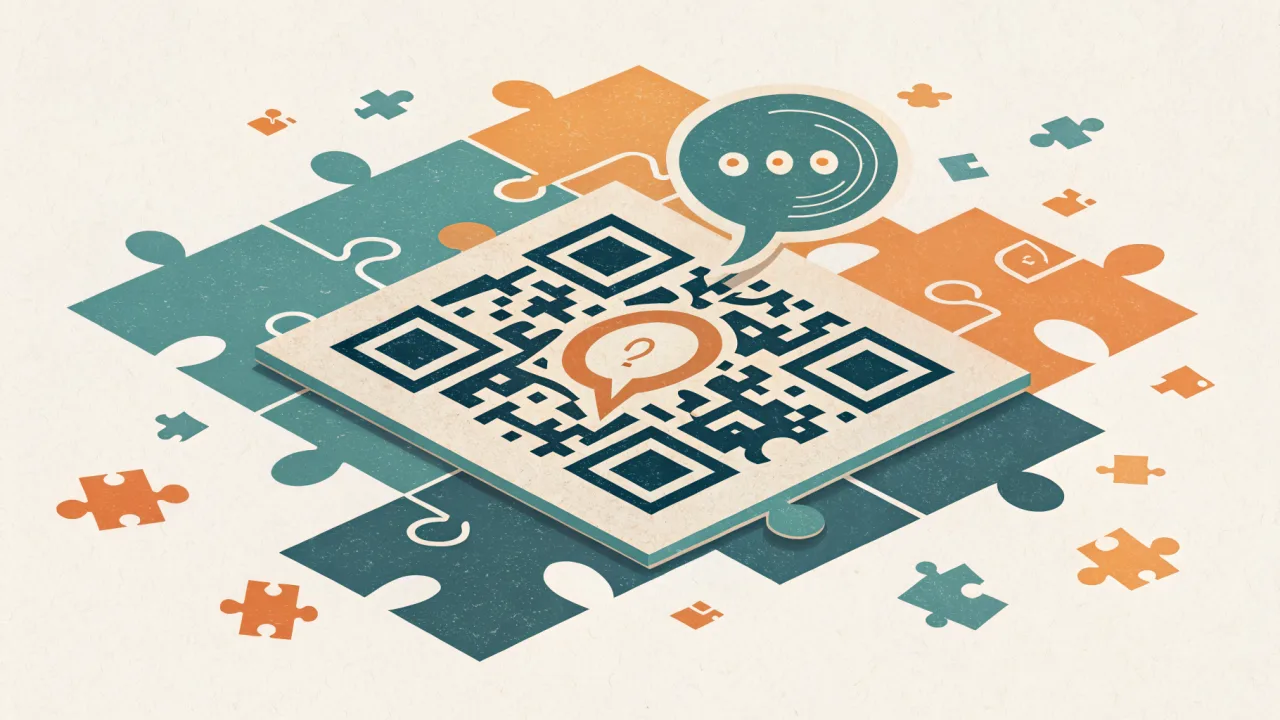
A QR code for WhatsApp is a scannable square barcode that, when scanned with a smartphone camera, automatically opens a pre-filled chat with a specific WhatsApp number or business account. It eliminates the need to manually save a contact or type a phone number, connecting customers instantly to your business for support, sales, or marketing.
The most common implementation uses the WhatsApp deep-link URI (wa.me) embedded in the QR code. When scanned, the phone's operating system recognizes the URI and opens WhatsApp with the recipient and message already populated. That split-second reduction in friction is what turns a passive offline touchpoint into an active conversation starter.
WhatsApp has 2 billion monthly active users, representing nearly 33% of the planet's population, with 100 billion messages sent daily on the platform tyntec. That scale means a well-placed WhatsApp QR code can reach more people than any single social media channel.
The Deep-Link Mechanism
The underlying technology is straightforward. The QR code encodes a URL like https://wa.me/15551234567?text=Hi%2C%20I%27d%20like%20to%20order. On mobile, this triggers the WhatsApp app directly. On desktop, it redirects to WhatsApp Web. The pre-filled text parameter is optional but critical for guiding the conversation.
The Business API Layer
When the WhatsApp Business API is involved, each QR code can carry metadata that identifies which location, campaign, or channel generated the scan. The API then includes that metadata in the incoming message, allowing your team or automation to respond accordingly. This is what transforms a QR code from a simple shortcut into a real attribution tool.
QR Code for WhatsApp vs. Standard QR Codes: Key Differences
A WhatsApp QR code is not a generic URL QR code that happens to link to a website. It is a deep-link that triggers the WhatsApp application with a pre-populated message. That distinction matters for both user experience and measurement.
What a WhatsApp QR Code Is Not
It is not a payment QR code (though some platforms combine payment with chat). It is not a Wi-Fi QR code that auto-connects to a network. It is not a vCard QR code that saves contact details. These all serve different jobs and should not be confused with the dedicated click-to-chat function.
Standard QR Codes That Link to WhatsApp Web
Standard QR codes can also be used to log into WhatsApp Web. That's a separate use case: a security mechanism that generates a temporary QR code on the desktop client. Each QR code expires after a single use, a critical security feature designed for device login, not customer engagement. This is fundamentally different from the persistent business API QR codes you use to drive customer conversations.
The Tracking Difference
A standard static QR code that merely points to your website offers no insight into who scanned it or where. A WhatsApp Business API QR code, on the other hand, can include a unique identifier per scan source. The WhatsApp Business API QR Tracking Feature allows companies to generate unique QR codes for different physical locations, store branches, event booths, product displays, all linking to the same WhatsApp number, yet enabling businesses to track which specific QR code a user scanned via the API's message metadata.
What Makes a Great QR Code Generator for WhatsApp?
Not all QR code generators are built for business use. A great WhatsApp QR code generator must meet several criteria that go beyond simply encoding a URL.
Dynamic vs. Static Capability
The first question to ask: does the generator produce static or dynamic codes? Static QR codes encode the destination permanently. Once printed, you cannot change the link or the pre-filled message. Dynamic QR codes, on the other hand, store a short URL that redirects to your target. This allows you to edit the destination, update the message template, and track scan data after the code has been printed.
Over 90% of marketers use QR codes in their campaigns in 2025, and 94% of marketers increased their QR code usage in the past 12 months Bitly. Yet many still use static codes for campaigns that demand iteration. Dynamic codes let you A/B test pre-filled messages or reroute scans to a different number, without reprinting a single sticker.
Branding and Design Options
A good generator lets you add your logo, brand colors, and a custom call-to-action label. Plain black-on-white QR codes blend into packaging and signage. A branded code stands out and signals trust before the user scans.
Scan Tracking and Analytics
Without tracking, a QR code is a blind spot. You know how many scans occurred, but nothing about location, device type, or time of day. The best generators, including our Free WhatsApp QR Code Generator, provide real-time analytics so you can measure performance per campaign.
Pre-Filled Message Customization
The ability to set a default message is non-negotiable for sales and support. "Hi, I have a question about product" beats an empty text box every time. It sets context and reduces the cognitive load on the scanner.
How WhatsApp QR Codes Bridge Offline and Online Customer Engagement
A WhatsApp QR code acts as a physical hyperlink. When scanned, it triggers a WhatsApp deep-link URI that opens the app with a pre-filled message. This mechanism allows businesses to turn any offline touchpoint into an instant chat conversation.
The Friction-Reduction Principle
Every additional step between a customer's interest and their action kills conversion. Typing a phone number, searching for a contact, or navigating a website involves friction. The QR code eliminates all of it. Scan. Tap. Chat. That sequence can happen in under five seconds.
Real-World Implementations
Major quick-service restaurant (QSR) chains like McDonald's and Starbucks use WhatsApp QR codes on packaging and billboards. A customer scanning a Big Mac wrapper instantly opens a chat for order support or promotions. Retail brands such as Sephora and H&M deploy branded WhatsApp QR codes on product packaging and in-store displays, allowing shoppers to scan and immediately chat with customer service for styling advice or inventory checks.
Event management platforms like Eventbrite integrate WhatsApp QR codes into digital tickets. Attendees scan upon entry to instantly join event-specific WhatsApp groups for updates, networking, or live Q&A with organizers.
If you're building automation around these conversations, how to set up automated responses on WhatsApp API explains how to route incoming QR-generated chats to the right automation or team member.
Per-Location Attribution via the Business API
The WhatsApp Business API can track which specific QR code was scanned. A restaurant chain might place different QR codes on table tents versus takeout bags. The API metadata reveals which touchpoint generated the chat, enabling precise ROI measurement per channel. This is why managing conversations in a shared inbox for customer support becomes essential: every QR-driven conversation needs context and routing so your team responds consistently.
When to Use a Static vs. Dynamic WhatsApp QR Code
Choosing between static and dynamic QR codes depends entirely on the use case. Neither is inherently better; the right choice aligns with the permanence and measurability of the asset.
Static Codes for Permanent Assets
Static QR codes are permanent and cannot be edited. Use them for:
- Product packaging (where the destination will never change)
- Permanent signage at a physical location
- Printed materials that will not be updated (business cards, brochures)
The trade-off is zero flexibility and zero tracking. Once printed, you are locked in.
Dynamic Codes for Campaigns and Iteration
Dynamic QR codes allow you to change the destination URL, update the pre-filled message, and track scan data (location, device, time). Use them for:
- Marketing campaigns with a limited time offer
- Seasonal promotions where the message changes quarterly
- A/B testing different call-to-action messages
- Event-specific activations where you need post-event analytics
Restaurant and hospitality QR code adoption reached 75% in 2025 QR TIGER, making it one of the highest-adoption sectors. Many of those use dynamic codes because menus and promotions change frequently.
The Cost Trade-Off
Dynamic codes typically require a subscription to a QR code platform that offers analytics. Static codes are free from any generator. For a one-off permanent asset like a product label, static is fine. For any campaign where you care about measuring performance, dynamic is the only option that gives you data.
Common Mistakes When Using QR Codes for WhatsApp
Even a well-designed QR code campaign can fail if these mistakes are overlooked.
Using a Static Code for a Trackable Campaign
The single most expensive mistake: printing a static QR code for a campaign you intend to measure. Without tracking, you cannot attribute a scan to a specific channel, location, or creative. You lose the ability to optimize. The cost of reprinting is far higher than the cost of a dynamic code platform.
Not Setting a Pre-Filled Message
An empty text box forces the customer to figure out what to say. Some will type "hi" and stop. Others will abandon the chat altogether. A pre-filled message like "Hello, I'm interested in your offer" gives the customer a clear next step and provides context to your team.
Poor Placement and Sizing
A QR code needs to be scannable. That means:
- Minimum size of 2 cm x 2 cm (roughly 0.8 inches) for print
- High contrast (dark code on light background)
- Flat surface with even lighting
- No reflections or glare from lamination
Test the code in the actual environment where it will appear before mass printing.
Using an Untrusted Generator
QR code phishing, known as "quishing", is a growing security concern Bitly. Malicious actors can generate QR codes that lead to phishing sites or malware downloads. Always use a trusted generator from a known provider. Our Free WhatsApp QR Code Generator is built on the official WhatsApp Business API, so every code is verified and safe.
Ignoring Mobile Optimization
The landing page after the scan must be mobile-friendly. If you link to a website that does not render properly on a phone, the customer bounces. For WhatsApp QR codes, the landing page is the chat itself, so the pre-filled message must be concise and actionable.
Why WhatsBox Is the Smartest Way to Manage WhatsApp QR Codes at Scale
For a one-time static QR code that you print on a business card, any free generator will do. But if you are running campaigns across multiple locations, tracking performance, and managing incoming conversations from those scans, you need a platform that integrates QR code generation with the WhatsApp Business API, team collaboration, and automation.
What We Offer
We provide a Free WhatsApp QR Code Generator that supports dynamic codes with scan tracking. You can generate unique QR codes per location or campaign and see exactly which scans turned into conversations.
Our platform goes beyond the generator. When a scan triggers a chat, that conversation lands in our shared team inbox with session timers and assignment rules. No chat falls through the cracks. You can set up automated replies, escalate to human agents when needed, and track every interaction from scan to resolution.
Pricing That Scales With You
Our pricing is straightforward: Pay-Per-Use, currently free during beta phase. After beta, the standard rate is $0.0025 per message. No monthly seat fees, no user limits, no contracts. That means you can deploy QR code campaigns at any volume without worrying about a per-seat bill.
How We Compare to Alternatives
AiSensy is broadcast-first, designed for marketing blasts but with a shared team inbox for support. Their per-message WhatsApp charges still apply. Wati focuses heavily on Instagram and Facebook automation, with WhatsApp as one channel among several. Gallabox deploys AI agents across multiple platforms but lacks the granular QR tracking that a purpose-built Business API platform provides. For teams running QR campaigns at scale, the best tool for bulk WhatsApp marketing is one that bundles campaign generation, team management, and analytics, not three separate systems you have to wire together.
We built WhatsBox specifically for businesses that need to manage WhatsApp engagement end-to-end: from generating tracked QR codes, to handling conversations in a team inbox, to automating responses with AI. That unified approach saves your team from juggling a QR generator, a separate chat tool, and a disjointed analytics setup.
The One Trade-Off Worth Naming
If you only need a single static QR code printed on a product label and you never intend to track scans or iterate the destination, any free static QR generator is sufficient. The overhead of a platform like ours is unnecessary for that use case. But the moment you run a campaign, test a message variant, or need to know which storefront drove the most chats, our dynamic QR code generator with tracking becomes the only sensible choice.
Turn your offline touchpoints into measurable sales conversations with our free QR code generator.
How to Send a Link in WhatsApp: The Method That Actually Gets Clicks and Conversions
Sending a link in WhatsApp seems trivial, but the method you choose determines whether your message gets ignored or drives a conversion. Here is the strategic approach most guides miss.
Meeting Message on WhatsApp: Why Most Businesses Get It Wrong (and How to Fix It)
A meeting message on WhatsApp is a structured professional communication that requires explicit opt-in, a pre-approved template (outside the 24-hour window), and proper placeholders. This article explains the rules, the mistakes, and the tools that get it right.