
The WhatsApp Blue Tick Isn't Just a Status Symbol, It's a Strategic Lever
What Is the WhatsApp Blue Tick?
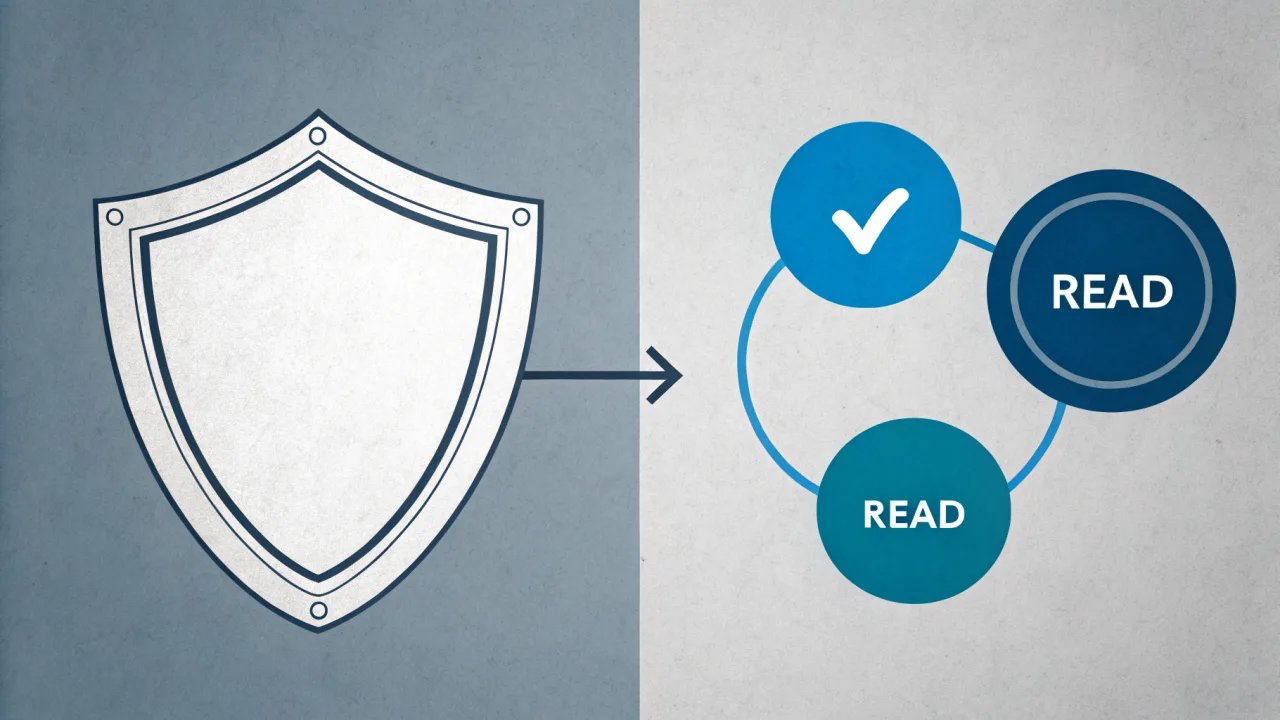
The WhatsApp blue tick refers to two distinct features: the verified badge (a blue checkmark next to a business name) confirming an official account, and the double blue read receipt showing a message has been read. Understanding the difference is crucial for businesses managing trust and customer communication. One builds credibility before a conversation starts; the other measures engagement after a message lands.
Most teams conflate them. You hear "we need the blue tick" and someone means verification, someone else means read receipts. The result is often a half‑implemented strategy: a green badge from the Business App with no API, or read receipts turned off company‑wide because of privacy fears.
This article is about untangling the two and using each with intention. The businesses that treat the WhatsApp blue tick as a strategic lever, not an ornament or a privacy toggle, outperform those that don't.
The Two Faces of the Blue Tick
On the public side, WhatsApp displays a blue badge on business profiles that have completed Meta's business verification process and meet policy standards. It looks exactly like Twitter's or Instagram's verification checkmark. A user sees it and instantly trusts that the account is legitimate.
On the private side, in a chat thread, two blue ticks appear when a recipient has opened the message. This feature, introduced in 2014, sparked significant privacy debates among users. Early reactions to read receipts were mixed: some users valued the transparency, while others felt the feature created pressure to respond immediately. WhatsApp eventually added the option to disable read receipts entirely in Settings > Privacy > Read Receipts, acknowledging user privacy concerns.
Why the Confusion Costs Businesses
Mistaking one for the other leads to real missteps. A support team that disables read receipts globally loses the ability to track whether a customer opened an urgent refund notice. A marketing team that ignores the verification badge sends broadcast messages from an unverified number, and recipients treat the message as spam.
The most expensive mistake is assuming the blue badge matters only for big brands. Small e-commerce businesses frequently lose customer confidence when buyers cannot confirm they are talking to the legitimate company rather than a scammer. The badge is free to obtain via the WhatsApp Business API; it is not reserved for enterprises.
What the WhatsApp Blue Tick Means Today: Verification vs. Read Receipts
Let us pull the two apart in current terms, because the situation has shifted since 2014. Each meaning now carries different business implications and different technical requirements.
Verification: The Trust Signal
The verified blue badge is assigned by Meta to businesses that pass identity verification and demonstrate policy compliance. The process is not automatic even after verification; Meta reviews factors like account age, engagement quality, and complaint rates. Once granted, the badge displays next to the business name on the profile and in chat headers.
For a business, this badge means customers see a legitimate, official account. WhatsApp scams are rising, so that trust signal is worth real money. Verified businesses typically see higher message open rates and fewer blocks, as customers recognize them as official sources rather than potential fraud.
Verification is tied to the WhatsApp Business API, not the WhatsApp Business App. The app offers a green badge, which signals some business use but does not carry the same weight. The blue badge is the gold standard.
Read Receipts: The Engagement Metric
The double blue tick, two blue checks in a row, tells you the recipient has opened your message. This is separate from delivery (two grey ticks) and sent (one grey tick). For a business, read receipts are a direct measure of reach.
But they are not reliable. The read receipts setting is user‑controlled. A customer may read your message without triggering a blue tick. Many users disable the feature to maintain privacy, which means they can read your message without you ever knowing. Therefore, businesses cannot treat the absence of a blue tick as "not seen."
The only way to get reliable read data is through the WhatsApp Business API, which reports delivery and read status at the message level regardless of the user's privacy settings, but the read receipt still only fires if the recipient has enabled the setting. The API cannot override the user's choice.
Why Both Matter for a Single Strategy
A business needs the verified badge to get in the door and the read receipt tool to know if the customer stepped through. The badge drives initial trust; read receipts inform follow‑up timing. A support agent who sees a customer read the policy update but did not reply knows to send a nudge. A marketing lead who sees no read receipts after a broadcast knows the audience is disengaged.
Our experience with 2,500+ businesses on our platform is that teams that track both out‑perform those that focus on just one. A complete WhatsApp blue tick strategy is not about the icon; it is about the system around it.
How the WhatsApp Blue Tick Evolved: From Read Receipts to Verification Badges
Understanding how we got here helps predict where the platform is headed. The WhatsApp blue tick did not start as a business tool, it started as a personal messaging feature.
The 2014 Read Receipts Controversy
When WhatsApp introduced blue ticks in November 2014, the reaction was swift and loud. Users who valued privacy felt exposed by the new feature. Many saw it as a surveillance capability that removed plausible deniability for not responding immediately. WhatsApp listened and eventually added a toggle in Settings > Privacy > Read Receipts.
That toggle is still there today. But the key detail many miss is that it is reciprocal: disabling it disables your ability to see others' read receipts too. If you turn off blue ticks, you can read everyone's messages without them knowing, but you lose the insight into whether your own messages are read.
The 2018 Business API and Verification Badge
In 2018, WhatsApp launched the Business API, separating personal and business messaging. Soon after, the verified blue badge appeared for businesses using the API. The reasoning was straightforward: impersonation was damaging trust, and a visual signal was needed.
Meta's verification process became more rigorous over time. Getting the badge is no longer a one‑time formality. Businesses must maintain a low complaint rate, respond promptly, and avoid spam patterns. Accounts can lose their badge if they violate policies.
Convergence: Two Histories, One Strategy
Today, the two blue tick histories have converged. A business that wants to reach customers effectively must manage both the public trust signal (verification) and the private engagement signal (read receipts). The trade‑off is real: enabling read receipts gives you data but can pressure customers who value privacy. Our recommendation is to enable read receipts for customer‑facing interactions but disable them for internal broadcasts where privacy matters more.
This convergence also explains why the market now offers tools like ours that help manage the full stack, from applying for verification to tracking read rates across broadcasts.
How to Get the Verified WhatsApp Blue Tick for Your Business (Step-by-Step)
The process for obtaining the blue verified badge is standard across WhatsApp Business API providers. Below are the steps. Note that each step depends on the previous one.
- Choose a WhatsApp Business API provider and set up your account. You cannot apply for verification directly from a personal WhatsApp account. You need a provider (like WhatsBox) that connects you to the official API. We handle the technical setup, including phone number registration and webhook configuration.
- Complete Meta's business verification in WhatsApp Manager. This involves submitting business registration documents (tax ID, incorporation papers) and proving you control the phone number. The verification process can take a few days. Meta will review the documents and may request additional proof.
- Apply for the official blue badge through your provider or WhatsApp Manager. Once your account passes business verification, you can request the badge. The badge is not automatically granted; Meta evaluates your usage, message quality, and complaint rate. Accounts with high engagement and low spam reports are approved faster.
- Maintain active, compliant communication. After receiving the badge, keep your account active. Send messages only to opted‑in users, respond to inquiries promptly, and avoid bulk unsolicited messaging. Meta periodically reviews accounts; inactivity or policy violations can lead to badge removal.
The green badge from the WhatsApp Business App is an alternative for micro‑businesses that do not need API automation. But it lacks the trust weight of the blue badge. For any business scaling beyond a few conversations a day, the API route is the right path.
If you need a deeper walkthrough, our guide on WhatsApp Account Info Sample covers the data that Meta expects.
Common Mistakes Businesses Make When Navigating WhatsApp Blue Ticks
Most articles list three mistakes in numbered format. Real businesses make more nuanced errors. Here is what we see most often.
The blue badge is available to any legitimate business using the WhatsApp Business API, regardless of size. The barrier is not company size but compliance with Meta's policies. Small e‑commerce stores frequently get the badge if they maintain good engagement. So the assumption that only large brands qualify is simply wrong.
Because users can disable read receipts, the absence of a blue tick does not mean the message went unseen. Some of your most engaged customers may have privacy settings turned on. Use read receipts as one signal among many, not the definitive metric. Relying solely on them to measure engagement is a trap.
The reciprocal nature trips up many teams. A support manager turns off blue ticks to avoid stress, then cannot tell if a critical client message was read. The setting is global: on the WhatsApp app, it applies to all conversations. For business‑level analytics, the API report is separate, but the app setting still applies to the business's own account. So disabling read receipts personally while expecting to see customers' status creates a blind spot.
Some businesses apply for verification, get the badge, and then send low‑quality bulk messages. Meta can and does revoke badges from accounts with high complaint rates. The badge is not permanent; it is a privilege that requires ongoing quality. Treating it as a status symbol rather than a trust tool is a costly mistake.
If your chatbot sends a message and the customer never sees a blue tick, the bot may retry or escalate unnecessarily. Build logic that accounts for the possibility that read receipts are off. Ignoring privacy settings when designing automated responses leads to poor customer experiences.
When to Pursue the Verified Blue Badge vs. When to Focus on Read Receipt Management
Not every business needs both right away. Here is a decision framework.
When the Verified Badge Is the Priority
Pursue the blue badge first if your business:
- Operates in a high‑trust industry (finance, healthcare, legal) where impersonation is common.
- Receives customer‑initiated conversations (support inquiries, order tracking) rather than outbound marketing.
- Has a public‑facing phone number or website that shows a WhatsApp chat button.
In these cases, customers need to know they are talking to the real company before they share sensitive info. The badge is table stakes.
When Read Receipt Management Deserves Equal Weight
Focus on read receipts as much as verification when your business:
- Runs broadcast campaigns (promotions, reminders) where measuring open rates is critical.
- Uses WhatsApp to confirm deliveries or appointments.
- Has a team of multiple agents who need to see whether a message has been read before following up.
For these use cases, disabling read receipts hurts performance. The API provides aggregate read stats, but the individual receipt data is still valuable.
One Scenario Where You Skip the Blue Badge (For Now)
Micro‑businesses (one person, fewer than 50 conversations per day) can start with the WhatsApp Business App and its green badge. That is the older alternative mentioned earlier. It gives you basic business features and a green icon on your profile. When you cross the threshold where you need a team inbox or bulk messaging, upgrade to the API and pursue the blue badge.
Most growing businesses, though, should aim for both. The verified badge drives top‑of‑funnel trust; read receipts optimize the bottom‑funnel response. A unified approach covers the full customer journey.
How WhatsBox Helps Businesses Manage WhatsApp Blue Tick Strategies
We built our platform around the reality that the WhatsApp blue tick is two things, and you need to manage both.
For verification, we guide you through the Meta business verification process right from our dashboard. No need to jump between WhatsApp Manager portal and multiple forms. We collect the required documents, submit them with your consent, and track the status. Once approved, the blue badge appears on your official number. Our shared team inbox with session timers and assignment helps you respond quickly, which improves the engagement metrics Meta reviews for badge retention.
For read receipts, our bulk broadcast campaigns via the official WhatsApp Business API provide per‑message read and delivery stats, even when the user's privacy setting is enabled (the API reports what it can). Our custom‑trained AI chatbots with knowledge base can be configured to wait for a read receipt before sending a follow‑up, or to adjust tone based on whether the message was opened.
Our human‑in‑the‑loop escalation ensures that when read receipts show a customer has opened a support ticket but not replied, a real agent can step in. Our embedded Zapier integration lets you sync read receipt data to your CRM, triggering actions like "mark as contacted" or "send email reminder" if no read receipt appears within 24 hours.
We also offer a whitelabel WhatsApp chat widget for your website. That widget displays your business name alongside your verified badge, so visitors entering from your site already see the trust signal.
For setup, our Interact Chat: Why Most Businesses Get Two-Way WhatsApp Wrong article explains common pitfalls in read receipt interpretation during two‑way conversations.
Frequently Asked Questions About WhatsApp Blue Ticks
How do I turn on the blue tick on WhatsApp?
Go to WhatsApp Settings > Privacy > Read Receipts, and toggle the switch on. This turns on blue ticks for all your conversations. The setting does not affect the verified badge, that is a separate feature controlled by Meta for business accounts.
Can someone read your WhatsApp message without the ticks turning blue?
Yes. If the recipient has disabled read receipts in their privacy settings, they can read your message without triggering blue ticks. They will see your message, but you will not see the double blue check. You will see the two grey ticks (delivered) only.
How do I know if someone is checking me on WhatsApp?
WhatsApp does not have a feature that tells you if someone is "checking" your profile. You can see their last seen timestamp and online status (if they have not disabled that) but there is no way to know if a person is viewing your profile or messages without reading them. If they read a message and have read receipts off, you will not see a blue tick.
Does 2 blue ticks mean read on WhatsApp?
Yes, two blue ticks mean the message has been read, provided the recipient has read receipts enabled. If the ticks are grey, the message was delivered but not yet opened. One grey tick means the message was sent from your device but not yet delivered to the recipient's phone.
Bulk WhatsApp Message Software for Small Business: The All-in-One Advantage Most Teams Miss
Most small businesses choose a broadcast-only tool for bulk WhatsApp messaging, then discover they also need a shared inbox for support. We explain why an all-in-one platform that handles both is usually the smarter investment.
What Gallabox (and the "Gallbox" Search) Actually Means for Your Business
Gallabox (frequently misspelled as "gallbox" in search) is a conversational AI platform that deploys AI agents across WhatsApp, Instagram, web chat, and voice channels to capture leads, qualify intent, and move customers toward bookings. But multi-channel AI agents fail when context doesn't travel between channels, and that failure pattern is what most evaluation checklists miss entirely.