
Spam Chat WhatsApp: How to Spot It, Stop It and Send Clean
A spam chat on WhatsApp is any unsolicited or deceptive conversation you never opted into, and stopping it takes one tap on Block and Report, while preventing your own business messages from landing in someone's spam folder takes a documented opt-in and an output that matches it. The pattern behind nearly every case looks the same: a number arrives without permission, the message asks for something, and the recipient has no way to tell a real business from a copied logo.
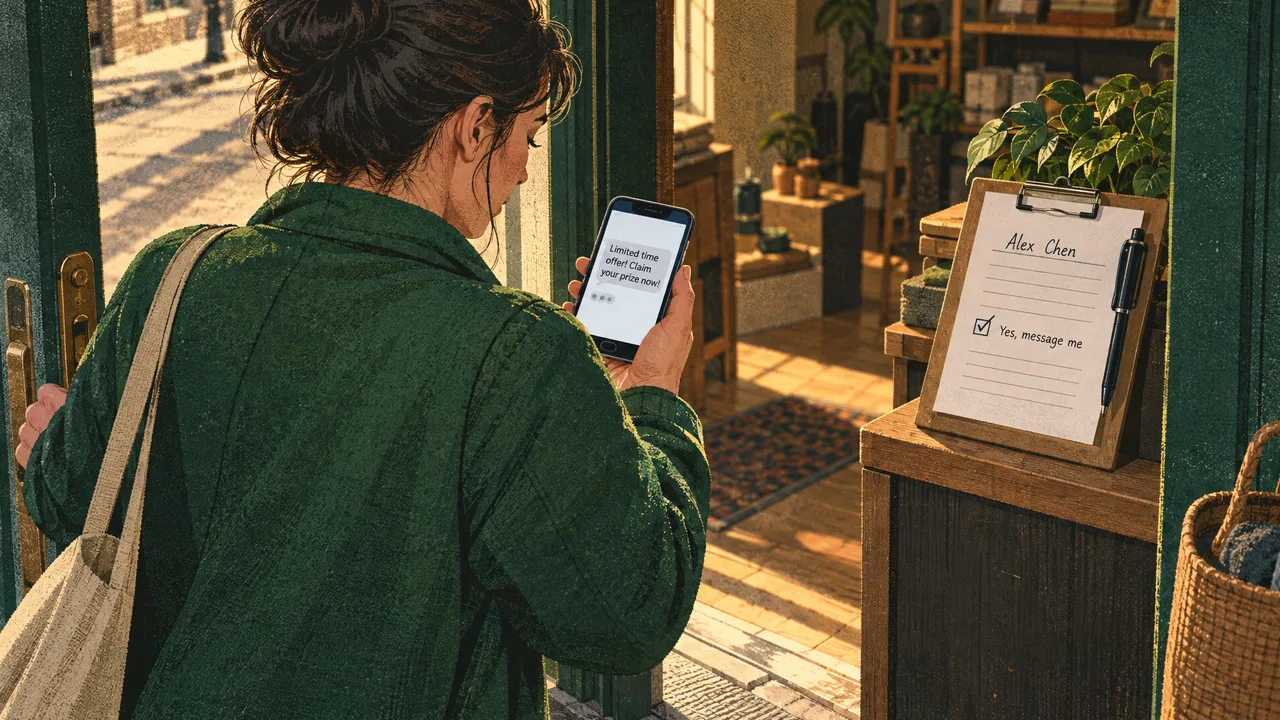
What a Spam Chat on WhatsApp Really Is
A spam chat on WhatsApp is a conversation opened without the recipient's consent, sent in bulk or with deceptive intent, whether it comes from a stranger's personal number or from a business account dressed in official colors. It covers three things most people blur together:
- Unsolicited cold outreach. A stranger, or a scraped number, opens with a pitch, a link, or an "is this you?" question.
- Deceptive impersonation. A fake bank, delivery service, or lottery message built to extract a code or a payment.
- Bulk broadcast that never got permission. A business account blasting a promotion to numbers it bought or harvested, which is functionally the same thing to the person receiving it.
The category that matters for a business owner is the third one, because the first two are not yours to fix. The academic work on this problem frames it as a classification task: separate spam from legitimate chat by traffic patterns and message features, not by the sender's stated purpose (see the 2025 analysis of WhatsApp chat spam detection). That framing is useful for anyone running volume, because it names the real question. A message is spam in the recipient's judgment, not in yours.
This is where a web channel and the shareable chat link part ways. An unsolicited message may feel intrusive, but a visitor typing into a website chat that starts the conversation has already raised their hand. The channel is not the risk; the missing permission is.
How Spam Actually Reaches Your Number
Number-to-number delivery on WhatsApp is free and requires no relationship. That single design choice explains most of the volume. A sender can build a list, import it, and open a thread with a number that never agreed to anything. The person on the other end sees a message from an unknown contact with no prior context, which is exactly the shape every later scam borrows.
The delivery mechanics are worth naming precisely, because they shape what you can and cannot control. On the consumer app, there is no central filter that decides whether an unknown number may message you; block and report are retrospective, applied after the message has arrived. Business accounts on the official WhatsApp Business API are held to a different set of rules, with pre-approved templates for messages sent outside a customer's active window. That is the WhatsApp integration that follows setup: the technical layer is easy to connect, and the compliance layer is where the work lives.
The stakes are not abstract. Consumers reported losing $425 million to scams that started on WhatsApp in 2025, the second-highest total of any social media platform, according to Federal Trade Commission data. That figure is damage from the deceptive category, not from cold pitches, and it tells you why recipients have become ruthless about unfamiliar numbers. A legitimate business that sends without permission is competing against that distrust.
So the modern split is clear. Spam that reaches a personal number is a user problem solved by block and report. Spam that reaches a customer from a business number is a sender problem solved by permission and targeting. The two overlap less than they appear to, and fixing one does not fix the other.
How to Do It: Block, Report and Send Clean
If you are the recipient, the sequence is short and there is no reason to negotiate with the sender.
- Open the chat, tap the sender's name at the top, and choose Block from the menu.
- Report the number when the chat is clearly deceptive, so WhatsApp can review it.
- Turn on two-step verification in Settings under Account, so an attacker cannot register your number on a new device even if they obtain a code. Keep that code private under all circumstances.
- Trim your linked devices if you are unsure any of them should still have access.
- Close the chat and move on. Replying to confirm the sender is real is the one action that reliably makes things worse.
If you are the sender, do the work out of order relative to what most guides suggest. Start with the opt-in record, not the campaign. Write down where each number came from, the date, and the exact wording the person agreed to. Then keep the list current by honoring every opt-out immediately and not re-adding a number that asked you to stop. Send within the rules: pre-approved templates for anything outside an active customer conversation, and no urgency or prize language that reads like the scams your recipients already know. Write the message so the recipient recognizes the sender without opening the link, because a business name that resolves to a real conversation is the strongest anti-spam signal you have.
One link rule earns its own line. If a message has to carry a URL, use stop pasting raw links and start converting, which keeps the destination honest and the context intact. A message with a bare shortener and a countdown is the exact shape of the scam it is judged against.
Common Mistakes to Avoid
Buying a number list is the mistake that causes every other one. A purchased list gives you no opt-in record, so you cannot prove consent if a customer complains, and the first recipient who blocks you begins a pattern the platform will read as spam. There is no volume of clever copywriting that fixes a list you were never allowed to have.
Replying to a suspicious chat to find out who it is. The reply confirms your number is live, and it tells the sender a human is reading. Block and report first, investigate never. This is the single behavior that most often escalates a cold message into a repeated problem.
Using an unofficial messaging tool outside the official WhatsApp Business API. It may send to any number you have without checking opt-in, which is exactly why it eventually gets numbers banned. A business that saves setup time this way trades a working number for a shortcut, and the official app is free to download and use, with a mix of free and paid features (per the App Store listing), so there is no cost argument for the risky route.
Treating a template approval as a license to send anything. Approval means the wording passed review; it does not mean the recipient agreed. A pre-approved promotional template sent to a list that never opted in is still spam in the recipient's eyes, and the approval does not protect you from that judgment.
Copying a scam's style because it seems to work. Urgency, fake prize language, and spoofed logos get opens from people who do not know better, and blocks from everyone else. The style is the tell, and the tell is how you get filtered.
When to Act
You face the decision the moment a chat feels wrong: a number you do not recognize opens with a link, a code request, or a payment demand. The signal that settles it is whether you can connect the sender to something you did, joined, bought, or started. If you cannot place it, block and report. No reply, no confirmation, no clicking.
For a business, the same question has a slower answer. The signal that settles it is whether you can point to the opt-in for this person, for this message, and for this channel. If the record exists, send within the rules and expect the delivery. If it does not, the message becomes spam the moment it lands, and the block that follows is the recipient's correct response.
What each outcome means for you is different in kind. As a recipient, block and report cost nothing and stop the thread at its source, and you should use them without hesitation. As a sender, the permission is the campaign, and skipping it turns your number into the problem the recipient is already defending against. Acting on the wrong side of that line is not a growth decision; it is a short-term trade that removes a working channel.
About WhatsBox
WhatsBox is a WhatsApp Business API messaging platform built for the business side of this problem. Our shared team inbox with session timers and assignment keeps every conversation owned by a named person, so no teammate replies to a thread nobody else can see. Our bulk broadcast campaigns run on the official WhatsApp Business API, which means you send through the route that has opt-in rules rather than around them.
When the message needs to be clean, the workflow supports it. Custom-trained AI chatbots with a knowledge base answer the questions customers actually ask, and human-in-the-loop escalation hands a complex case to a person instead of a script. Workflow automations through our embedded Zapier integration connect the opt-in and the conversation. Our whitelabel live chat widget keeps the same rules on your site, so a first contact is a visitor who chose to reach you. If you want the guarantee that every first message is opted in, the live chat widget on the site is where that channel starts.
Choose a different approach if you only ever message people who already have your personal number and you do not need a shared inbox, a template flow, or a record of consent. A small, direct relationship does not need a platform, and we would rather you keep that number clean than bolt on tools you will not use.
If you run a team and want conversations managed with the same discipline as the permission behind them, get in touch with us. For the plan structure, our pricing page has the current details.
Frequently Asked Questions
What are spam chats on WhatsApp?
A spam chat is a conversation opened on WhatsApp without the recipient's consent, sent in bulk or with a deceptive purpose. It includes cold pitches from strangers, fake bank or delivery messages that want a payment or a code, and business broadcasts sent to numbers that never opted in. All three share one feature: the recipient did not ask for the conversation, and the sender has no record of permission.
How do I stop spam chat on WhatsApp?
Block the sender and report the thread, then turn on two-step verification so nobody registers your number on a new device. Do not reply to confirm the sender is real, and do not click links in an unfamiliar chat. On a business account, the reverse applies: the way you stop your messages from being treated as spam is a documented opt-in and an honor for every opt-out.
Can a scammer access my phone through WhatsApp?
In the usual scam, the access is what you hand over, not what they break. The common version asks for a six-digit verification code presented as a delivery, bank, or support step; sharing that code lets the attacker register your number. WhatsApp does not read your messages to you, so treat any chat that asks for a code as hostile. Keep the code private and block the thread.
Why did I get a random text from WhatsApp?
Random messages arrive for two reasons. A sender can message a number that never opted in, and a number that once appeared in a scraped list gets reused across campaigns. The first message is often a test to see whether the line is active. Treat an unfamiliar chat as a live number until you block and report it, and never reply to find out who is behind it.
WhatsApp Business API vs WhatsApp Web: Which One Fits a Team
WhatsApp Web gives one person a browser tab tied to one phone. The Business API gives a team a shared, automatable channel. Here is what separates them, and when to switch.
Hide a Chat Name on WhatsApp and You Will Still Be Visible
WhatsApp lets you rename a contact and mute a notification, but no setting removes your name from someone else's screen. The useful question is what you are actually trying to hide.