
What a WhatsApp Inbox Means for a Business Team
A WhatsApp inbox is the place incoming chats wait for a reply: on a personal phone it is your chat list, and for a business team it is a shared queue where every conversation has an owner, a status and a clock. The business meaning decides whether customers get answered. Once two people can reply from the same number, the inbox stops being storage and becomes the record of who is responsible for each thread.
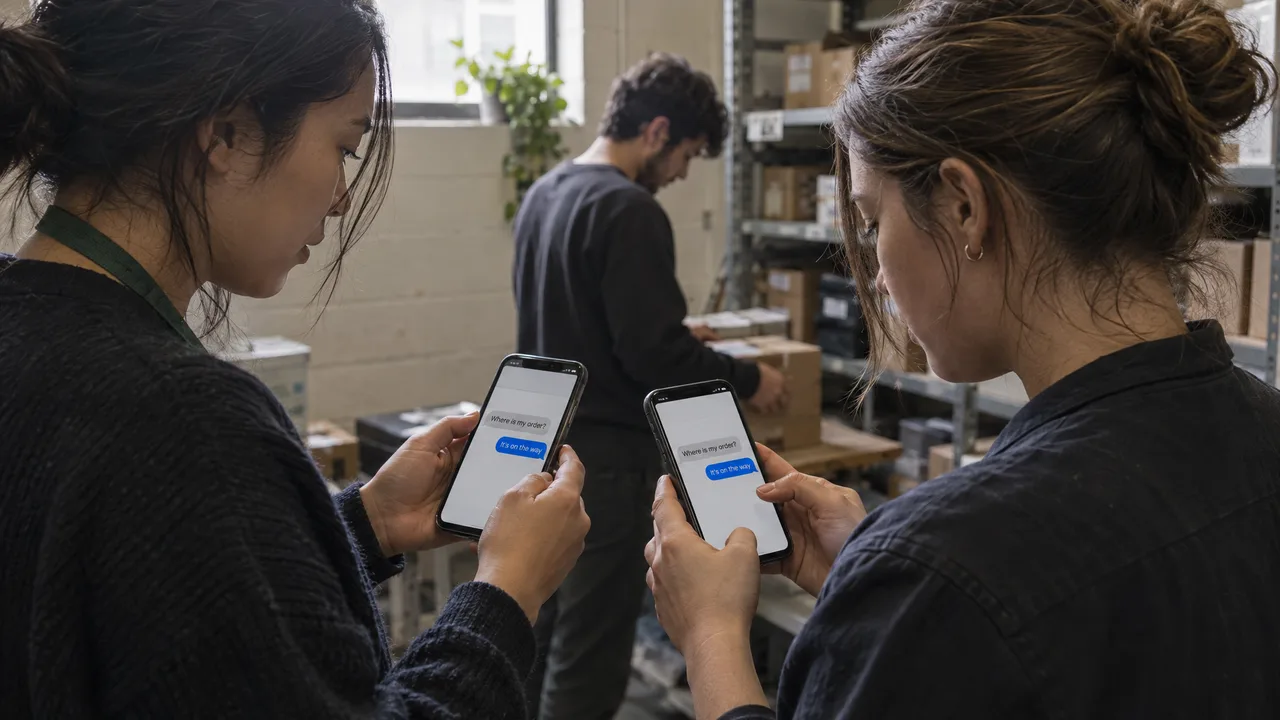
Two Meanings of Inbox on WhatsApp
In everyday use, the inbox on WhatsApp is the list of chats on your phone, with unread conversations pushed to the top. In business use, it is a shared workspace connected to one business number, where several agents see the same conversations, claim them and close them. The first meaning fits one person talking to friends. The second fits a team answering customers. Neither is the same as WhatsApp Manager, which administers the account, or a broadcast tool, which sends outbound campaigns. Scale is why the business sense matters: WhatsApp had three billion monthly users as of October 2025, per Statista's mobile messenger ranking. A team that wants a dependable queue needs more than a container for messages, and our WhatsApp setup walkthrough covers that from the configuration side.
How a Chat Moves Through a Shared Queue
The phone-based inbox runs on one rule: a message lands on a device, and whoever holds that device sees it. The WhatsApp Business app kept that rule and gave companies a business identity on top of it. As of 2022, more than 5 million businesses had registered for WhatsApp Business, according to our guide to the WhatsApp inbox. That growth made business chat normal while it stayed tied to a single handset.
A shared inbox changes where the message goes. On the official WhatsApp Business API, the number connects to a platform instead of one phone. An incoming message then arrives in a workspace the whole team can open, and three pieces of state attach to it.
Assignment records which agent owns the reply. Status shows whether the thread is still open or finished, so a closed chat leaves the working view instead of sitting among the unread ones. The session timer shows how much of the customer service window is left. That matters because free-form replies depend on the window being open. Once it closes, the business needs an approved template to restart the conversation.
In practice, four people can read a message and none of them owns it. A team inbox exists to prevent that situation. Judge any tool on its assignment model before you look at how the message list is laid out.
Setting Up a Team Inbox That Answers Every Chat
- Connect your business number to the official WhatsApp Business API through a platform, so messages reach a shared workspace rather than one phone.
- Write assignment rules before you invite agents: which chats go to sales, which go to support, and who picks up anything unclaimed.
- Turn on session timers and agree on what happens when a window is about to close, such as a final reply or a hand-off note.
- Prepare approved templates for messages you send outside the window, including follow-ups and the first message to a new contact.
- Route campaign replies into the same queue, with an owner ready for them. A 1000 message campaign creates most of its workload in the replies, not in the send.
- Add a chatbot for repeat questions only after human routing works, and set the point where it escalates to a person.
Budget for the conversation in both directions. Businesses on the WhatsApp Business Platform are charged per message delivered, based on who receives it and the message category, according to WhatsApp's platform pricing page. Any platform fee comes on top of Meta's charges, so ask every vendor to show the two separately.
Habits That Break When Chats Leave One Phone
A shared login looks like a shared inbox until two agents answer the same customer within a minute of each other. Neither saw the other typing, so the customer gets two different answers. Afterwards, nobody can tell who promised what. Per-agent access with assignment fixes this, because a claimed chat is visibly claimed.
Unread counts were designed for one reader. In a team queue, someone can open a chat and still leave it unanswered, because reading a message does not make you its owner. Track open, assigned and unassigned conversations instead. The number to watch is any unassigned chat older than your response target.
Teams that move to the API sometimes look for their conversations inside Meta's admin tools. Use WhatsApp Manager as the account and template console, as our WhatsApp Manager explainer lays out, and keep conversations in the inbox your platform provides. Splitting the two keeps template admin away from the people answering customers.
Unofficial tools that mirror a phone into a browser keep the old one-device rule and add risk, because they work around the official API instead of through it. They also leave customers talking to what looks like a private number. In 2025, nearly 30% of people who reported losing money to a scam told the FTC it started on social media, with reported losses of $2.1 billion, and the FTC's social media spotlight names WhatsApp groups among investment-scam tactics. A business number answered from one accountable queue gives customers a consistent party to deal with.
Choosing Between the Business App and a Shared Inbox
If you answer every chat yourself, the WhatsApp Business app on one phone can carry the load, because the person reading and the person responsible are the same. As soon as a second person needs to reply, that stops being true. You start working around it with group chats, screenshots and shared devices.
Move to a shared inbox on the official API when more than one person replies, when you send campaigns that generate replies, or when you need to know later who handled a customer. Each of those needs state a phone cannot hold. If you stay on the app past that point, you accept duplicate replies and missed windows as the price of skipping setup.
Also consider where the channel is heading. In March 2024, Meta announced that WhatsApp would let third-party messaging services interoperate with it, a requirement of the EU's Digital Markets Act, as the WhatsApp article on Wikipedia records. Meta and regulators set changes like that, so connect your inbox through Meta's official business interface rather than a workaround tied to a handset.
Where WhatsBox Fits Into Team Messaging
WhatsBox is a WhatsApp Business API messaging platform. Our Shared Team Inbox comes with session timers and assignment, so every chat on your business number has an owner and a visible window. We run bulk broadcast campaigns via the WhatsApp Business API from the same platform. If you are still separating the inbox from the channel behind it, our business chat explainer draws that line.
For repeat questions, custom-trained AI chatbots answer from your knowledge base. Escalation kicks in when a query is too complex for the AI, so a person can take over. If your team already builds agents in Microsoft Copilot Studio, our integration connects them to WhatsApp. Workflow automations run through our embedded Zapier integration. Google Sheets is also among our integrations.
Ownership is the decision this whole article turns on, so start there: tell us how your team answers chats today and set the inbox up around your real routing. Then review the plan on our pricing page.
Frequently Asked Questions
What does "inbox" mean in WhatsApp?
WhatsApp has no screen called "inbox." People use the word for the Chats list, where new conversations appear with unread markers. Business software borrowed the term for something larger: a shared view of one business number's conversations, with tools to assign, filter and close them. When a vendor or colleague says "inbox," ask which one they mean. A chat list on one phone and a team queue solve different problems and fail in different ways.
When someone says "inbox me" what does it mean?
It means "send me a private message" instead of replying in public. The phrase comes from social platforms, where comment threads are public and the direct-message area is called an inbox. On WhatsApp it usually means starting a one-to-one chat rather than posting in a group. For a business, a customer who writes "inbox me" under a post or ad is asking for a conversation. The link they follow should open a chat that lands in a monitored queue.
How do I know if someone is seeing my WhatsApp messages?
In a single chat, the tick marks next to a sent message show whether it was delivered and whether it was read. If the recipient has turned off read receipts, the read state will not show. In a business setting, the more useful question runs the other way: has anyone on your team seen and taken the customer's message? A shared inbox answers that with assignment and status. A read receipt cannot, because a message can be read and still have no owner.
How to check inbox messages?
On a phone, open WhatsApp and go to the Chats tab, where unread conversations show a counter. The archived folder holds chats you moved out of view. For a team, checking the inbox means working through a filtered view: unassigned chats first, then your own open chats, then anything whose session timer is close to running out. Ending each shift with no unassigned chats is a more reliable check than clearing the unread badges.