
What Box App Searches Usually Mean: One Shared Inbox for a WhatsApp Team
Most people typing "what box app" are not looking for file storage at all; they want one box where a team answers WhatsApp from a single business number. That distinction decides everything that follows, because the thing they are picturing only exists when several people share one number without stepping on each other.
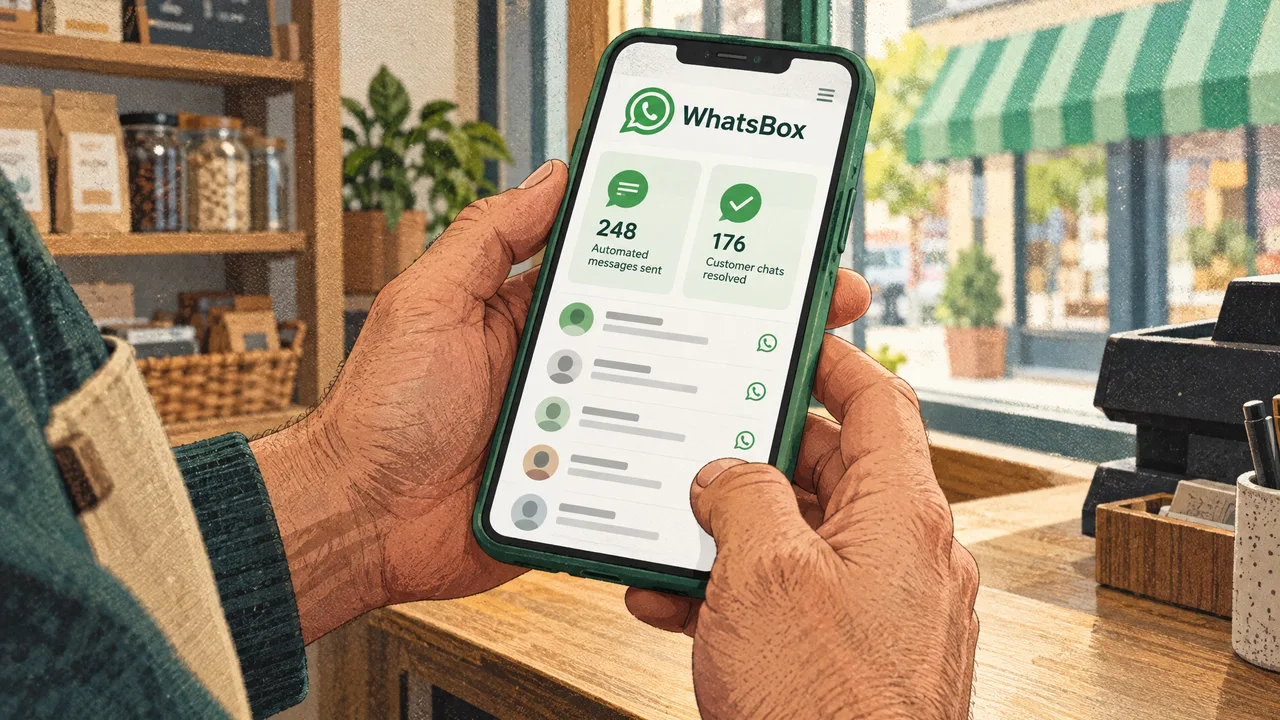
A box in the literal sense, a folder you drag files into, is the easy part and never the problem. The hard part is what happens when four people answer the same WhatsApp number at once, and the mechanism that makes it survivable is worth understanding before you buy anything.
The Box People Mean Is a Shared Inbox, Not Storage
A shared WhatsApp inbox is software that lets several people answer customers from one business number while keeping track of who is handling which conversation. It serves the business that has outgrown a single support phone, and it is not the same thing as cloud storage, a project board, or a personal WhatsApp account with a second device linked to it.
The confusion is mostly a naming accident. "Box" shows up in product names across unrelated categories, and people shorten whatever they half-remember into the same three words. Search volume around this phrase splits roughly into two groups: someone who wants a place to keep files, and someone who wants a place to keep conversations. If you are in the second group, the file-storage answer you will find is technically correct and useless to you.
What makes the second group's problem real is arithmetic. One number, one phone, one person answering. The moment a second person needs to reply, the team starts forwarding screenshots or handing a device across a desk, and every handoff loses context. The conversation record exists only as a scroll somewhere. Nothing routes, nothing logs, nothing tells you who was slow.
The tool the second group actually needs is a WhatsApp Business API messaging platform, which is the category that includes the shared inbox, the broadcast tools, and the automation layer around it. We build in that category, so the rest of this piece explains how the box works rather than whether it exists.
For the setup side of the same question, our walkthrough of why a chat inbox needs more than a box covers the account and verification steps that come first.
How a Shared WhatsApp Inbox Actually Works
The mechanism is worth understanding because it explains what the software can and cannot do. The WhatsApp Business API separates the conversation layer from the phone number. Your number stops being tied to one handset and becomes a channel that a platform reads and writes on your behalf.
Once that separation exists, a few things become possible that are impossible on the consumer app. A conversation arrives at the platform, gets attached to a customer record, and gets assigned to a person or a queue. The assignee sees the full history, not a screenshot of it. A timer tracks how long the session has been open, because WhatsApp's session rules around free-form replies differ from its rules around approved templates, and a team that ignores that distinction eventually sends a message Meta will not deliver.
A shared team inbox is the feature that turns a WhatsApp number into a box the whole team works out of, with session timers and assignment deciding who answers next. That is the piece most people mean and rarely name.
Bulk broadcast campaigns, custom-trained AI chatbots with a knowledge base, and human-in-the-loop escalation sit on top of that inbox rather than replacing it. The chatbot handles the questions it was trained on, the escalation path hands the rest to a person with the transcript attached, and the broadcast feature sends promotions to people who opted in.
Workflow automations run through our embedded Zapier integration, so a WhatsApp reply can create a spreadsheet row or trigger a form without a developer. The plumbing is unglamorous and it is the difference between a chat tool and a system of record.
Linking the number to a website is the same idea from the customer's side. The site widget is a whitelabel WhatsApp chat widget, which means the button on your website carries your brand and opens the same shared inbox your team already answers. For the deeper mechanics of how a conversation moves through states rather than sitting in a text field, our piece on the conversation as a state machine explains the model.
The Order You Build One In
- Decide which number carries customer conversations and whether it can be a fresh number dedicated to the business. A number already used in a personal WhatsApp account has to be released from that account before it can run on the API, and doing this in the wrong order costs you a week.
- Verify the business with Meta and create the WhatsApp Business Account, then decide who inside your company owns it. Ownership is not a formality: if the account lives under a vendor, changing vendors later means losing your number and your template library.
- Collect and record opt-in consent before anything is sent. Consent is what makes a broadcast legal and deliverable, and it is the one step that cannot be retrofitted after a customer complains.
- Connect the inbox, assign the team, and set routing rules so messages reach a person rather than a shared void. This is where session timers, assignment, and escalation paths get configured.
- Add automation last. Chatbot flows, Zapier workflows, and broadcast campaigns all behave better once a human has watched real conversations move through the inbox for a week.
Steps four through six are where most timelines slip, not the technical connection. The platform work is a few hours. Getting message copy approved and teaching a team to work inside assignment rules is the part that takes calendar time.
What Separates a Real Inbox From a Phone Passed Around
Two products can look identical in a demo and behave completely differently at volume. These are the criteria that actually predict which one you keep.
- Pricing that follows messages, not seats. Per-seat pricing punishes you for adding the very people who make a shared inbox worthwhile. Per-message pricing scales with the work and stays cheap in a quiet month. WhatsBox runs a Pay-Per-Use tier, currently free during beta, with no monthly seat fees and no user limits, and the live numbers live on our pricing page.
- Who owns the WhatsApp Business Account. If the account sits under the vendor's business manager, your number, templates, and message history are hostage to the relationship. Ask where the account lives before you sign anything.
- Template handling and rejection support. Templates get rejected for phrasing, not intent. A platform that helps you rewrite and resubmit is worth more than one that simply reports the rejection.
- Whether the inbox logs what happened. Assignment history, response times, and who said what should survive a customer dispute. A phone in a drawer cannot produce that record.
- Escalation from bot to human. A chatbot that cannot hand off cleanly creates a worse experience than no chatbot, because the customer has to explain everything twice.
- Broadcast controls that respect consent. Look for the ability to segment by opt-in status and to see delivery outcomes, not just a send button.
Where Teams Get This Wrong
The most common failure is treating the shared inbox as a chat tool instead of a record system. Teams configure it, enjoy it for a month, and never set an escalation rule or a response-time expectation. Then a customer disputes a refund, nobody can reconstruct the conversation, and the tool gets blamed for a process the team never defined.
A second failure is broadcasting before consent is properly recorded. Bulk sending feels like the whole point when you start, and it is the fastest way to lose the number. Opt-in is not paperwork you do later; it is the condition that makes the channel work at all, and it has to exist before the first campaign, not after the first complaint.
Buying on sticker price alone is the third one, and it is subtler than it looks. A cheap per-seat plan becomes expensive the moment you add a support team, and a platform that hides the official WhatsApp conversation charges inside a subscription makes the true cost invisible until the invoice arrives. Price the model against your actual message volume and your actual headcount, in a busy month, not an average one.
The fourth mistake is letting automation lead. Chatbots trained on guesses about what customers ask produce confident wrong answers, and confident wrong answers generate support tickets. Run the inbox manually for a week, read the transcripts, then train the bot on what people actually typed. The knowledge base should come from your conversations, not from a product brochure.
How to Decide If You Need One
If two or more people answer customer messages, you need a shared inbox. That is the whole test, and it is not a close call. The second person is what breaks a single-phone setup, because two people cannot hold a coherent conversation from one device without losing track of who said what.
If one person handles every message and expects to keep doing so for the next year, you do not need this yet. A single WhatsApp Business account on one device will serve you, and you can revisit the decision when you hire. Buying a platform for a team of one is a subscription you will cancel.
There is a middle case worth naming, where one person answers but volume is climbing and response times are slipping. In that situation, the inbox buys you triage rather than collaboration: an auto-reply that sets expectations, a queue that sorts the urgent from the routine, and a record you can review at the end of the day. It is a reasonable place to start, provided you treat it as preparation for a second person rather than a permanent arrangement.
Whichever side of the test you land on, the deciding question is not which app looks best. It is who owns the number and the message history when the relationship ends. If the answer is anyone other than your business, the box is not yours.
Ready to stop passing the phone around? Talk to us about setting up a shared inbox on the official WhatsApp Business API and see what your team's conversations look like when they all land in one place.
Frequently Asked Questions
What is the WhatsBox app?
WhatsBox is a WhatsApp Business API messaging platform rather than a downloadable chat client. It gives a team one shared inbox with session timers and assignment, so several people answer a single business number without duplicating replies. Around that inbox sit bulk broadcast campaigns, custom-trained AI chatbots with a knowledge base, human-in-the-loop escalation, a whitelabel website chat widget, and workflow automations through an embedded Zapier integration. It runs on the official WhatsApp Business API, with Zapier, Google Sheets, and Google Forms as connected tools, and it is priced per use rather than per seat.
Do I need an app on my phone for this to work?
No, and that is the point. The WhatsApp Business API moves the conversation off a handset and onto a platform, so your team answers from a browser or shared dashboard instead of one device. The phone number still exists and still matters, but it stops being the thing that holds the conversations. That is what allows two or more people to work the same number without forwarding screenshots or handing a phone across a desk.
Is free WhatsApp Business enough for a team?
The free app is a single-device tool, so it works until a second person needs to answer. It has no assignment, no shared history, and no broadcast controls that respect opt-in segmentation. If your team is one person and staying that way, it is genuinely sufficient. If two people answer customers, the free app is the reason responses collide, and the shift to an API-based inbox is what fixes it.